SpendBeaver SMS
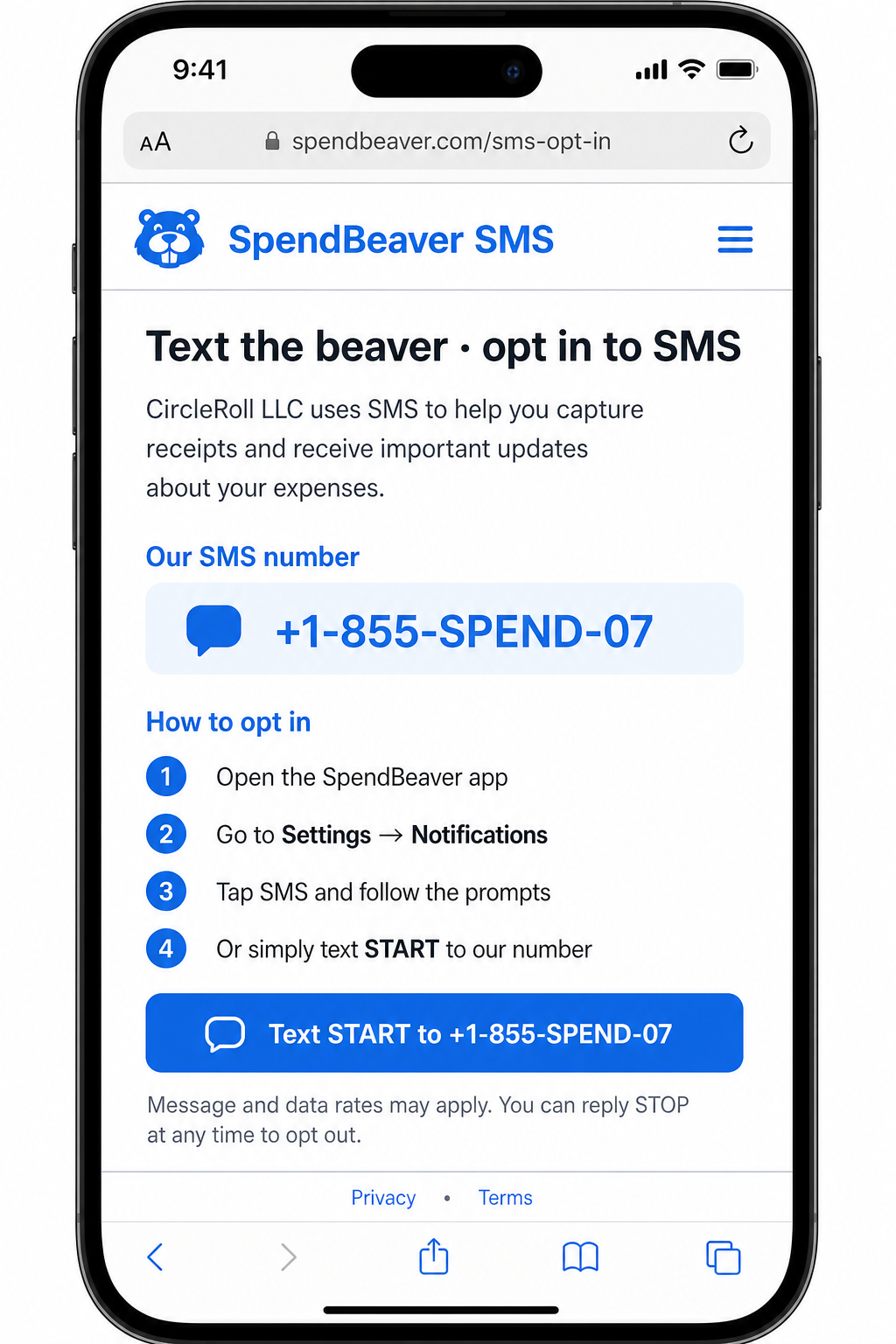
Text Sterling · opt in to SMS
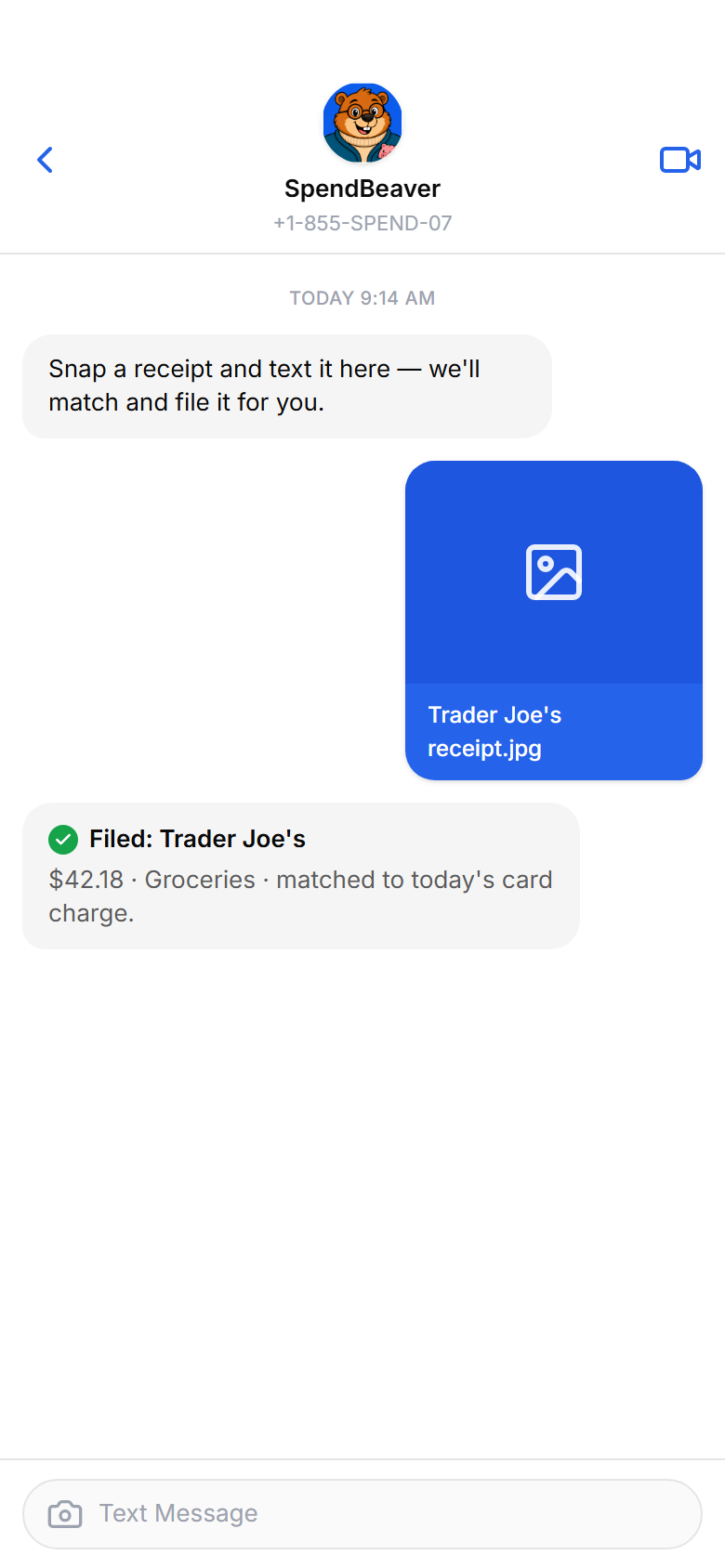
CircleRoll LLC (SpendBeaver) uses SMS/MMS so registered account holders can file receipt photos and get account notifications about expenses they already manage in the app. Message frequency varies. Message and data rates may apply. SMS features only work for numbers saved on a SpendBeaver account; unknown numbers cannot file receipts.
How to opt in
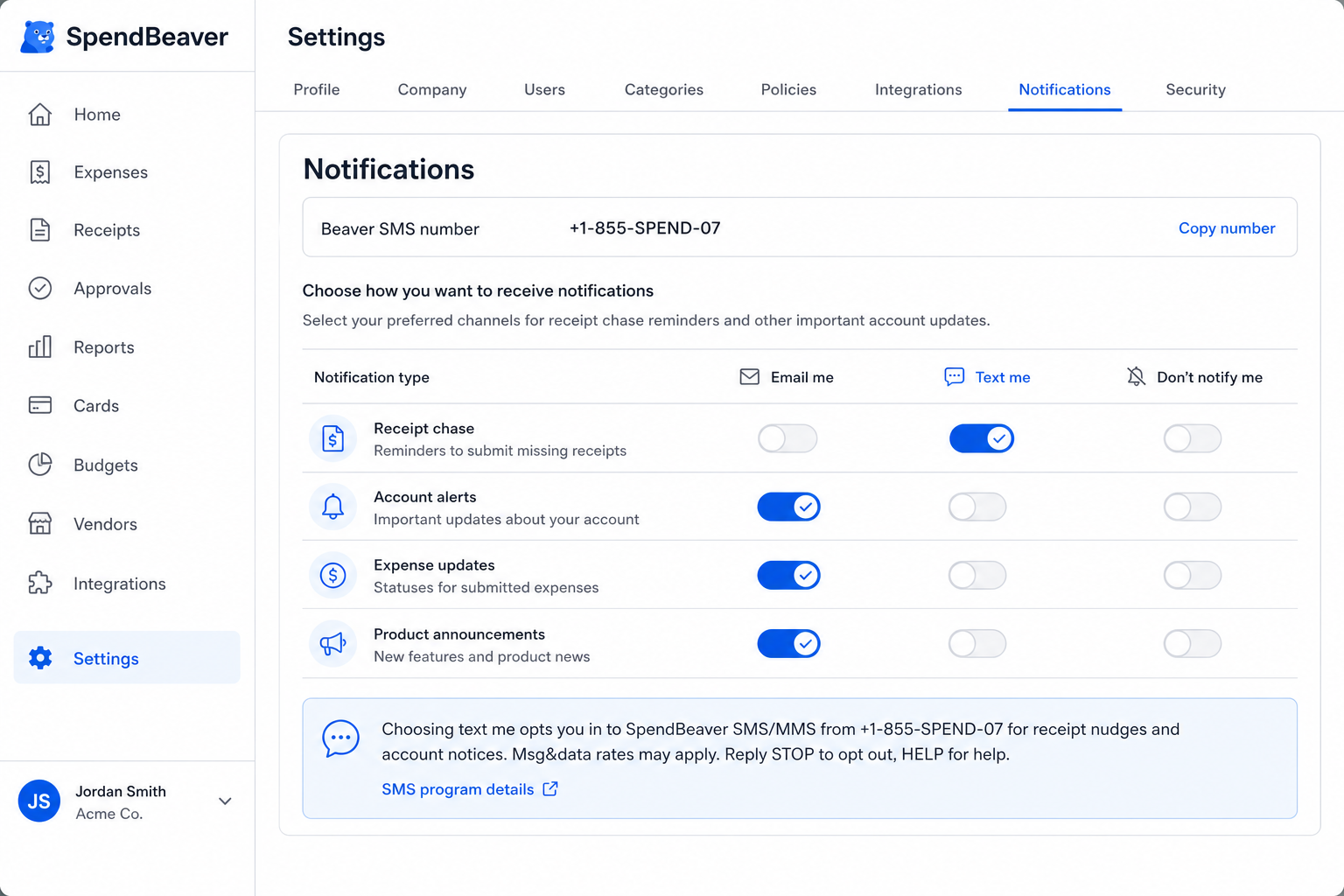
- Sign in at spendbeaver.com and open Settings → Notifications.
- Check the SMS disclosure checkbox (express written consent — unchecked by default), enter your phone, then choose Text me for receipt / nudge channels.
- Or text START or YES to +1-855-SPEND-07 (+1-(855)-773-6307) (+18557736307) from the mobile number saved on your account.
By opting in you agree:
- To receive SpendBeaver SMS/MMS about receipts, expense nudges, and account notifications related to your SpendBeaver account.
- Consent is not a condition of purchase. Reply STOP to opt out, HELP for help.
Program details
Number: +1-855-SPEND-07 (+1-(855)-773-6307) · +18557736307
Support: support@spendbeaver.com
Privacy Policy · Terms of Service
Registration proof images: Settings → Notifications · /sms program page · live Settings UI proof